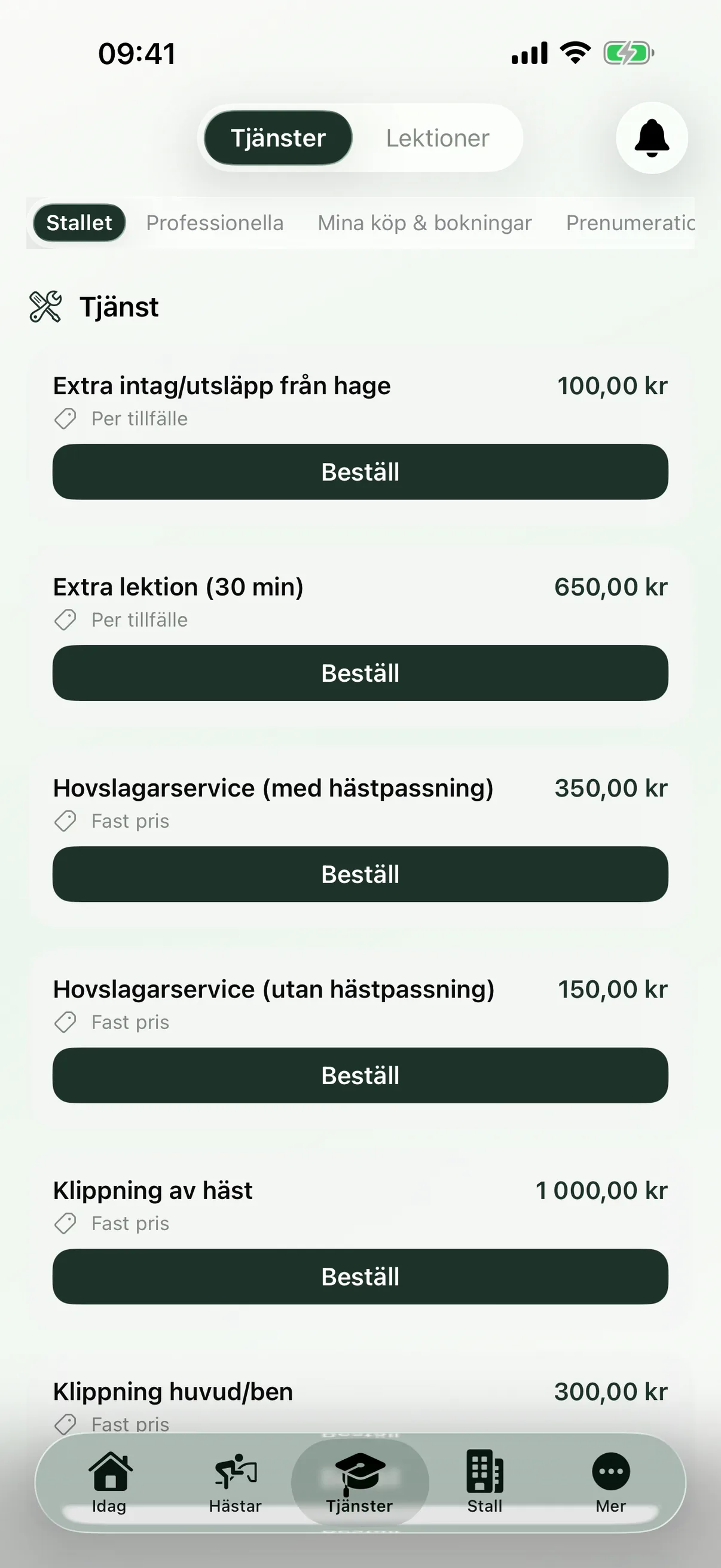
A booking system for riding schools and facilities
Bring facility booking, lessons, courses and professional services into one booking system that fits everyday stable life. Members book free slots themselves, you approve and price, and occupancy and revenue are gathered in one place – without nagging or double admin.
Let members book free arenas and stable spaces themselves in the availability calendar.
Plan lessons, courses and services and let the fee land on the right customer.
Track occupancy, no-shows and revenue per facility in one place.
How does booking get simpler for a riding school and facility?
Booking works best when the calendar, customer, space, service and payment record all connect in the same workflow.
Facility booking and the availability calendar
Set up your arenas and facilities with opening hours and rules, and members book free slots directly in the availability calendar. You see every booking in timeline and calendar views and have full visibility of when the arena is in use.
An availability calendar per facility, with a week or day view
Members book free slots themselves, round the clock
Timeline and calendar views showing opening hours and occupancy
Rules for the maximum number of horses per booking and allowed times
Admins create, edit and move any booking
Approval, pricing rules and payment
Decide which bookings need approval and how they're priced, so the right fee lands on the right customer straight away. Payment happens upfront via Stripe or by invoice, and you track payment status without hunting across several systems.
Approve or decline pending bookings – pending, confirmed or declined
Price per hour, per day or per session
Restrict or adjust price per role in the stable
Take payment upfront via Stripe or send an invoice
Track payment status: unpaid, paid, cancelled or refunded
Lessons and courses
Plan lessons and courses with an instructor, facility, time, maximum number and price – as one-off sessions or recurring slots. Schedule templates and course duplication mean you don't have to rebuild everything for each new period.
Create one-off or recurring lessons with an instructor and a maximum number
Set up many lessons at once with schedule templates
Plan courses with dates, sessions, an entry fee and a deposit
Control visibility: open, members only, or hidden
Duplicate a course with shifted dates for the next round
Lesson credits, catch-up lessons and cancellations
Lesson credits, catch-up lessons and cancellations connect, so the right credit follows through automatically. The member sees their balance and you don't have to count credits by hand.
Sell lesson credits and show the balance for every member
Credits are refunded automatically when a lesson is cancelled
Manage catch-up lessons so a missed lesson can be made up
Members cancel up to the deadline in your cancellation policy
Cancel, change instructor or update the status of many lessons at once
Services, instructors and trainer agreements
Bring professional services and instructor work into the same booking flow, close to everyday life. Members book slots with the vet, farrier, dentist and trainer, and instructors get their own overview.
Members book free slots with the vet, farrier, dentist and trainer
Mark visits as completed or as a no-show
Instructors see their lessons, attendance history and turnout
Track instructors' earned commission over time
Manage trainer agreements with terms, facility access and invitations
Revenue and utilisation reports
Get an overview of occupancy and revenue without pulling numbers together by hand. The dashboards update in real time and can be filtered by period or exported to CSV.
See occupancy, the no-show rate and the busiest times in real time
Track revenue per facility with cost types and payment status
Analyse attendance, instructor workload and booking trends
Filter by 7, 30 or 90 days, or year to date
Export lesson lists and reports to CSV
Questions about riding school booking systems
Answers about lessons, courses, facility booking, the customer portal, payments and tracking occupancy.
What is a booking system for a riding school or facility?
It's a system where members book free slots on arenas and other facilities, and where lessons, courses and services are planned in the same place. In EquiDuty, booking connects to price, payment and reports, so you don't have to keep track of loose lists and scattered messages.
Can members book arenas and slots themselves?
Yes. Members book free slots directly in the availability calendar, by week or by day, and see opening hours and rules such as the maximum number of horses per booking. As the admin, you see, create and edit every booking and have full visibility of how busy things are.
How do lesson credits and catch-up lessons work?
You sell lesson credits and each member sees their own balance. When a lesson is cancelled in time, the credit is refunded automatically, and catch-up lessons let a missed lesson be made up. Refunds on cancellation follow the policy you set yourself.
Can we take payment at the time of booking?
Yes. You set a price per hour, per day or per session, and can take payment upfront via Stripe or send an invoice. Payment status – unpaid, paid, cancelled or refunded – travels with the booking, and prices can be adjusted or restricted per role.
How do we approve bookings and control prices?
Pending bookings can be approved or declined, and status moves from pending to confirmed or declined while the customer gets an update. For premium services, such as exclusive hire of the facility, you set a fixed price and take requests with any special wishes attached.
What reports do we get on bookings and revenue?
You see occupancy, the no-show rate, the busiest times and the most-booked facility in real time, plus revenue per facility with cost types and payment status. For lessons and courses there's attendance, instructor workload and booking trends, and everything can be filtered by period and exported to CSV.
See how bookings connect to the rest of the stable
Booking flows affect the stable owner, horse owners, communication and the figures behind your finances.